The Starter+ package is the next step for businesses that have outgrown basic ERP functionality but do not yet require a fully customized enterprise resource planning system. It combines rapid implementation with processes that can already be customized. It is the ideal choice for growing companies with more complex operations that do not yet have a fully developed digital process system, but plan to integrate additional systems in the future and aim to build out the Microsoft ecosystem (such as Office, SharePoint, and other solutions).
Chart of Accounts and General Ledger, Financial Analysis – General Ledger Reports, Customers and Receivables, Suppliers and Payables, Advances, Bank Accounts, Expenses, Inventory Costs, Cash, Period Management, Dimensions, Currencies, VAT, E-Documents…etc.
Customers, Clients and Receivables, Sales Quotes, Master Sales Agreements, Sales Orders, Sales Invoices, Sales Credits, (Invoicing, Consolidated Invoicing), Sales Representatives, Sales Analyses and Reports.
Customers, Suppliers and Liabilities, Purchase Quotes, Master Purchase Agreements, Purchase Orders, Purchase Invoices, Purchase Credits, Sales Representatives, Sales Analyses and Reports.
Basic inventory management level: simple recording and management of inventory transactions (receipts and purchases, sales, transfers, and inventory counts). Key features: item management, recording of inventory transactions, inventory queries, and inventory counts without detailed warehouse processes.
The Microsoft Dynamics 365 Business Central Starter+ package is designed for smaller but more complex businesses where, in addition to financial and inventory management processes, there are also sales and procurement needs. The package is typically ideal for companies with 10–25 employees, supporting 3–10 users and managing up to 1,000–10,000 items.
In addition to finance, accounting, and inventory management, the system also includes simplified purchasing and sales processes, enabling it to cover a more comprehensive range of business operations. During implementation, users can choose to use a predefined chart of accounts or create their own, as well as set up a custom permission structure. The default settings are based on industry standards, but the first controlled customizations are already being implemented.
Data migration in this package covers the transfer of master data, and integration with other systems is also available. The implementation process, from preparation to go-live, includes custom development and training, typically taking 1–3 months. In the cloud version, the system also includes Copilot (AI) features.
The Starter+ package is recommended for companies that have already completed their initial digital transformation and are looking for a more structured, partially customized ERP system capable of supporting their growth while maintaining predictability during implementation.
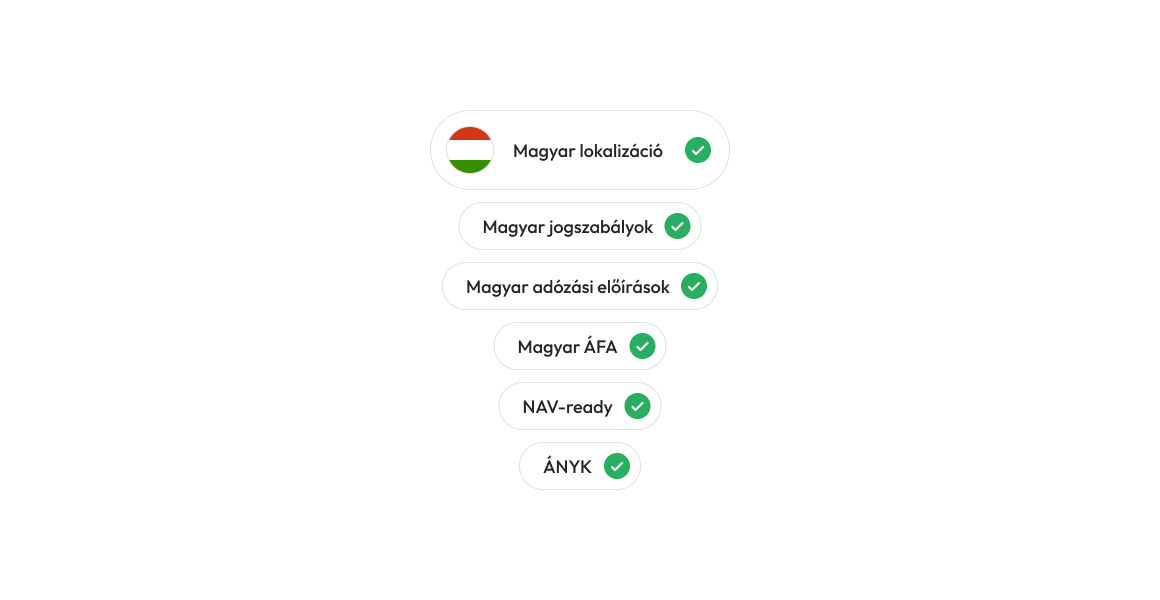
The Hungarian localization of Microsoft Dynamics 365 Business Central provides features and settings that enable companies operating in Hungary to use the system in a compliant and efficient manner.
One of the most important aspects of localization is support for domestic accounting and tax regulations. As part of this, the system complies with the Hungarian Accounting Act, handles value-added tax (VAT) in accordance with local rules, and supports the data structures required for various tax returns. This includes, for example, VAT analytics, the specific features of general ledger accounting, and reports tailored to Hungarian reporting requirements.
The Hungarian localization also includes support for NAV data reporting, particularly integration with the Online Invoice system. The system is capable of automatically transmitting electronic invoice data to the National Tax and Customs Administration (NAV), in compliance with current legal requirements. This significantly reduces administrative burdens and minimizes the potential for errors. Business Central is capable of exporting in ÁNYK-compatible XML formats (e.g., 65A, 65M). This enables the tax filing process to be automated and initiated directly from the ERP system.
If none of our packages are the right fit for your company, please contact us and our team will provide you with a customized proposal during a comprehensive consultation.